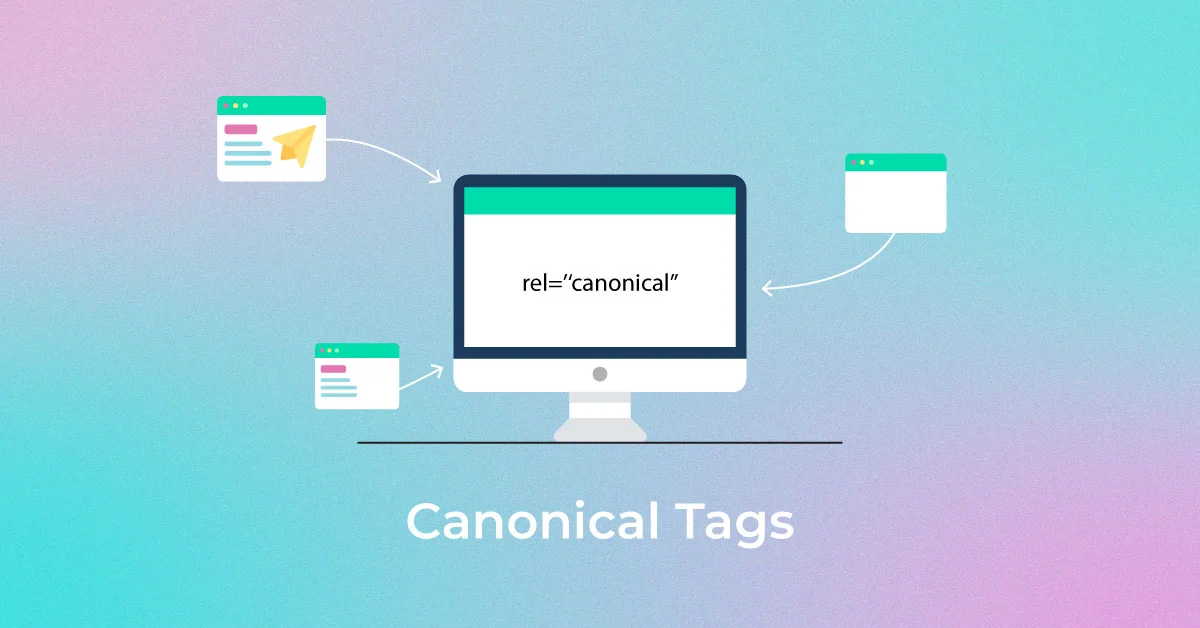
Canonical tags are one of the most important technical SEO elements used to prevent duplicate content issues and consolidate ranking signals. If you are wondering what is canonical tags and why they matter, the simple answer is this: canonical tags tell search engines which version of a webpage is the preferred version when multiple similar URLs exist.
Understanding canonical tags in SEO is essential for website owners, e-commerce stores, publishers, and enterprise platforms. When implemented correctly, canonical tags improve indexing efficiency, protect search rankings, and strengthen domain authority. When implemented incorrectly, they can create serious canonical tags problems that negatively affect visibility.
In this complete 2026 guide, you will learn:
- What are canonical tags
- How canonical tags SEO works
- When to use them
- Common mistakes (including multiple canonical tags)
- Step-by-step canonical tags fix solutions
What Are Canonical Tags?
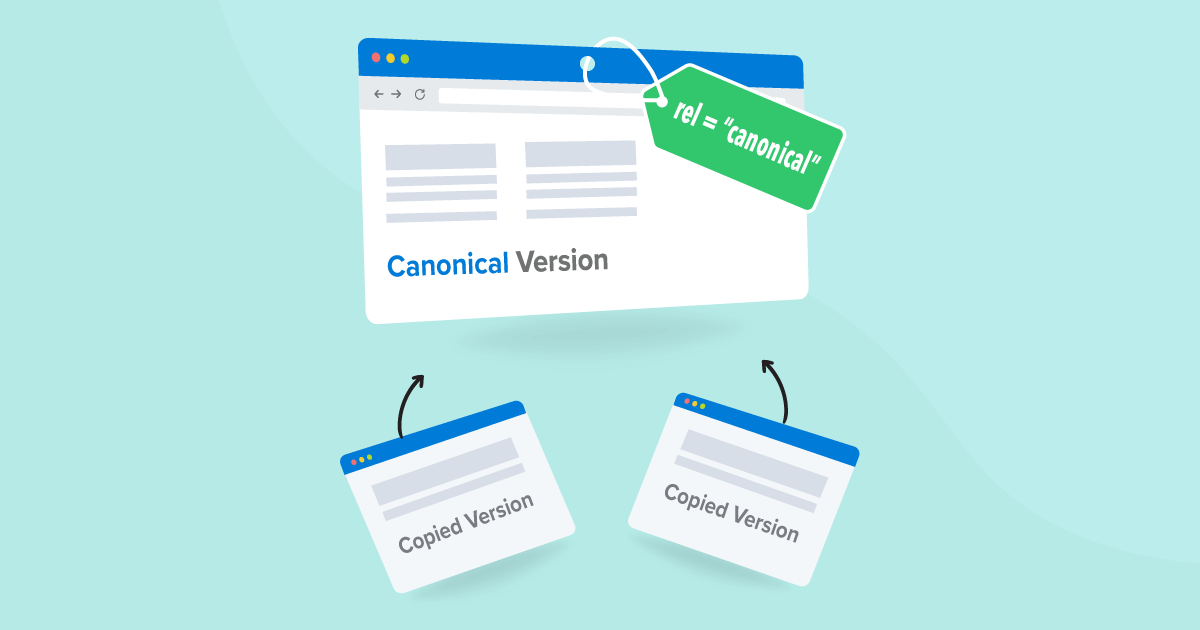
Canonical tags are HTML elements that specify the preferred version of a webpage when duplicate or similar content exists across multiple URLs. They help search engines understand which page should be indexed and ranked, preventing duplicate content issues and consolidating SEO value. For example, an e-commerce store in Dubai may have the same product accessible via multiple URLs due to filters or sorting options. Without canonical tags, Google may treat each URL as a separate page, splitting ranking signals. By using a canonical tag, the store can indicate the main product page that should receive SEO authority. Similarly, in Amman, content publishers often syndicate articles across subdomains or pages. Using canonical tags ensures that search engines recognize the original article and prevent duplicate content penalties.Canonical Tag Code Example
<link rel="canonical" href="https://www.example.com/preferred-page/" /> This line tells Google and other search engines: “This is the original and preferred version of this content.”Why Canonical Tags in SEO Are So Important
Canonical tags in SEO are critical because they help search engines understand which version of a page should be indexed and ranked, especially when multiple URLs contain the same or very similar content. Proper use of canonical tags protects your website from duplicate content issues and ensures that your SEO efforts are fully recognized.1. Prevent Duplicate Content Issues
Duplicate content can confuse search engines, causing them to split ranking signals across multiple pages. For instance, an online fashion store in Dubai may have the same product accessible via different URLs due to color or size filters. Without canonical tags, Google may see each URL as a separate page, weakening overall rankings. Canonical tags consolidate these URLs into a single preferred version, preventing penalties.2. Consolidate Link Equity
When multiple pages point to the same content, backlinks may be distributed across several URLs. Canonical tags ensure all link equity points to the preferred URL, strengthening its authority. For example, a Jordanian wellness blog may syndicate an article across subdomains. Using canonical tags ensures all backlinks contribute to the main article’s ranking.3. Improve Crawl Efficiency
Search engines have a limited crawl budget. Without canonical tags, crawlers may waste resources indexing duplicate pages. By specifying canonical URLs, websites in UAE and Jordan help search engines focus on important pages, improving overall indexing efficiency and reducing server load.4. Strengthen Ranking Signals
Canonical tags help consolidate ranking signals such as backlinks, social shares, and user engagement into a single page. This ensures that the main page is more likely to rank higher in search results compared to splitting authority across duplicates.5. Enhance Index Control
By specifying the canonical page, website owners can control which version appears in search results. For businesses in Dubai and Amman, this is crucial for ensuring that the correct page—whether it’s a product, service, or article—is visible to potential customers.How Canonical Tags Work
Canonical tags work as signals to search engines, indicating which version of a page should be considered the original or preferred one. They do not block or redirect users but help search engines consolidate ranking signals, avoid duplicate content issues, and index the correct URL. Here’s how canonical tags work step by step:1. Crawling the Page
When Google or another search engine crawls your website, it scans the HTML code of each page. The crawler looks for the rel="canonical" tag in the <head> section.- Example: A Dubai-based e-commerce website may have a product accessible via multiple URLs due to filters like color, size, or sorting options.
2. Identifying Duplicate or Similar Content
The search engine analyzes pages that appear similar or duplicate. It checks for canonical tags, content similarity, and URL structure.- Example: A blog in Amman might have the same article accessible via example.com/article and example.com/article?utm_source=newsletter. The search engine recognizes these as duplicates.
3. Consolidating Ranking Signals
If a canonical tag points to the preferred URL, Google consolidates all SEO signals (backlinks, social shares, user engagement) to that page. This strengthens the preferred page’s ranking.- Benefit for UAE & Jordan websites: Consolidated authority ensures your main service or product page ranks higher, rather than spreading authority across multiple duplicates.
4. Indexing the Preferred URL
The search engine indexes the URL specified in the canonical tag and may ignore other duplicates for ranking purposes. Users can still access duplicate URLs, but search engines treat the canonical version as the primary page.5. Avoiding Conflicts and Errors
Proper canonical implementation prevents multiple canonical tags, loops, or cross-domain mistakes, which can confuse search engines and reduce ranking potential.Common Canonical Tags Problems
- Multiple Canonical Tags: Having more than one canonical tag on a page confuses search engines and may cause them to ignore all tags. Example: A Dubai store’s CMS and SEO plugin both generate canonicals.
- Canonical Points to Redirect: If the canonical URL redirects elsewhere, ranking signals may split. Example: A Jordanian blog points to example.com/blog-post that redirects.
- Canonical Loops: Pages referencing each other in a loop make search engines unable to determine the preferred page. Example: Page A → Page B → Page A.
- Canonical to 404: Pointing to a non-existent page breaks the canonical signal, causing duplicates to remain. Example: Removed product pages still have canonicals pointing to them.
- Cross-Domain Misuse: Incorrectly pointing canonical tags across domains can confuse search engines and reduce authority. Example: UAE blog syndicates content on a Jordanian partner site.
- Blocked Canonical URL in Robots.txt: If crawlers cannot access the canonical page, it cannot consolidate SEO signals. Example: Dubai service page blocked by robots.txt.
Canonical Tags Fix – Step-by-Step Solution
Step 1: Audit Your Website
The first step in fixing canonical tags is performing a full website audit. Use tools like Google Search Console, Screaming Frog, or Ahrefs to identify duplicate content and incorrect canonical tags. For example, an e-commerce website in Dubai might have the same product accessible via multiple URLs due to filters, sorting, or campaign parameters. Auditing helps detect all these duplicates and determine which pages need canonical adjustments.Step 2: Choose Preferred URLs
Once you identify duplicates, decide which URL should be the primary or preferred version. Consistency is key. For instance, for a Jordanian blog, choose clean URLs without tracking parameters or session IDs as the canonical version. For e-commerce sites in UAE, decide whether to use HTTPS with or without “www” and stick to that consistently across the website.Step 3: Implement Self-Referencing Canonicals
Each main page should have a self-referencing canonical tag. This signals to search engines that this is the preferred version, even if duplicate URLs exist. For example, a Dubai-based online store should include: <link rel="canonical" href="https://example.com/product-page/" /> This ensures that all SEO signals and link equity point to the main product page.Step 4: Remove Multiple Canonical Tags
Having multiple canonical tags on the same page is a common problem that confuses search engines. Check all pages for duplicated canonical tags, which often happen due to CMS themes and SEO plugins generating the same tags. Remove the duplicates and make sure only one canonical tag exists per page. This is particularly important for websites in Dubai and Amman with complex structures or e-commerce filters.Step 5: Correct Canonical Tags Pointing to Redirects or 404 Pages
Canonical tags pointing to redirected or non-existent pages break SEO signals. Always update these tags to point to live, relevant pages. For example, if a Jordanian online store removes a product, the canonical should point to a replacement or main category page instead of the old URL. This prevents lost link equity and maintains search engine trust.Step 6: Test and Monitor
After implementing changes, test the canonical tags using Google Search Console, SEO audit tools, or browser inspection. Verify that search engines correctly recognize the preferred URLs. For businesses in UAE and Jordan, monitoring indexing and performance reports is essential to ensure that canonical changes are effective and that no new duplicate content arises.Step 7: Maintain Regular Audits
Canonical issues can recur as websites grow. Schedule monthly or quarterly audits to check for new duplicates, plugin conflicts, or changes caused by CMS updates. Regular maintenance ensures that canonical tags SEO remains strong, prevents duplicate content problems, and protects rankings for companies in Dubai, Abu Dhabi, and Amman.Best Practices for Canonical Tags SEO
Implementing canonical tags correctly is essential for maximizing SEO value, avoiding duplicate content issues, and improving indexing efficiency. Here are the best practices every website owner should follow:1. Use Absolute URLs
Always use absolute URLs in canonical tags instead of relative ones. This ensures search engines understand the exact preferred page.- Example: <link rel="canonical" href="https://www.example.com/product-page/" />
- Why it matters: For UAE and Jordan websites, absolute URLs prevent ambiguity when the same content appears in subdomains, campaigns, or tracking parameters.
2. Self-Referencing Canonical Tags
Every main page should point to itself using a canonical tag, even if there are no duplicates.- Example: A Dubai service page should include a self-referencing canonical to signal it as the preferred version.
- Benefit: Helps search engines clearly identify which pages are authoritative and avoids accidental duplication.
3. Avoid Canonical Chains and Loops
Ensure canonical tags do not point to a page that itself has a canonical to another URL, creating a chain or loop.- Example: Page A canonical → Page B canonical → Page C.
- Impact: Google may ignore the tags, splitting ranking signals and causing indexing confusion.
4. Canonicalize Only Relevant Pages
Do not canonicalize unrelated or low-value pages to high-value pages.- Example: A blog post about skincare in Amman should not canonicalize to the homepage.
- Benefit: Prevents loss of content relevance and ensures proper SEO authority is retained.
5. Keep Internal Linking Consistent
Internal links should point to the canonical URL to reinforce the preferred version.- Example: All Dubai e-commerce product links should point to the canonical URL rather than filtered variants.
- Benefit: Strengthens the authority of the canonical page and improves crawl efficiency.
6. Avoid Mixing Noindex with Canonical Incorrectly
Using noindex and canonical together can confuse search engines. Only use canonical tags on pages that should be indexed, or carefully plan if noindex is required.- Example: A Jordanian online store must ensure filtered product pages with noindex do not conflict with canonical tags pointing to main products.
7. Monitor and Audit Regularly
Regularly check canonical tags using SEO audit tools and Google Search Console.- Example: Monthly audits for Dubai and Amman websites ensure no new canonical issues arise due to CMS updates, plugin changes, or URL parameter generation.
8. Use Canonical Tags with International Sites Carefully
For multi-language or multi-country websites, canonical tags should work together with hreflang tags.- Example: A UAE travel site targeting Arabic and English users should canonicalize each language page correctly to avoid duplicate content while also specifying language targeting.
9. Partner with an Expert Digital Marketing Company
Working with a professional marketing agency like Above-Quality ensures that canonical tags and overall SEO strategy are implemented correctly.- Example: Above-Quality provides expert auditing, technical SEO fixes, and ongoing monitoring for websites in the UAE and Jordan, helping businesses maximize visibility and avoid common SEO mistakes.
- Benefit: Guarantees that your canonical strategy is precise, effective, and aligned with modern search engine algorithms, saving time and preventing costly errors.
Frequently Asked Questions (FAQ)
1. What are canonical tags?
Canonical tags are HTML elements that define the preferred version of a webpage when duplicate URLs exist.2. What is canonical tags in SEO?
In SEO, canonical tags consolidate ranking signals and prevent duplicate content issues.3. Can canonical tags improve rankings?
Yes. By consolidating link equity and eliminating duplicate confusion, they strengthen ranking signals.4. What happens if I have multiple canonical tags?
Search engines may ignore them, leading to indexing errors and ranking loss.5. When should I use canonical instead of redirect?
Use canonical when both pages must remain live. Use redirect when the duplicate page is unnecessary.6. How do I perform a canonical tags fix?
Audit your website, remove duplicate canonicals, choose preferred URLs, and test in Google Search Console.Conclusion
Canonical tags are a vital SEO tool for every website, ensuring that search engines recognize the preferred version of your content, consolidate ranking signals, and prevent duplicate content issues. From e-commerce stores in Dubai to content-heavy blogs in Amman, proper implementation of canonical tags directly impacts your website’s visibility, authority, and overall search performance. By following the best practices outlined in this article—auditing your pages, choosing preferred URLs, avoiding loops and redirects, and maintaining regular checks—you can secure a strong SEO foundation. For businesses looking to maximize results without the risk of errors, partnering with an experienced digital marketing company like Above-Quality ensures that your canonical tags, technical SEO, and overall digital strategy are implemented professionally and effectively. Take control of your SEO today, fix your canonical issues, and watch your website rank higher, attract more traffic, and convert visitors into loyal customers.