


December 21, 2025
/
Broken Links: How They Affect SEO and How to Fix Them
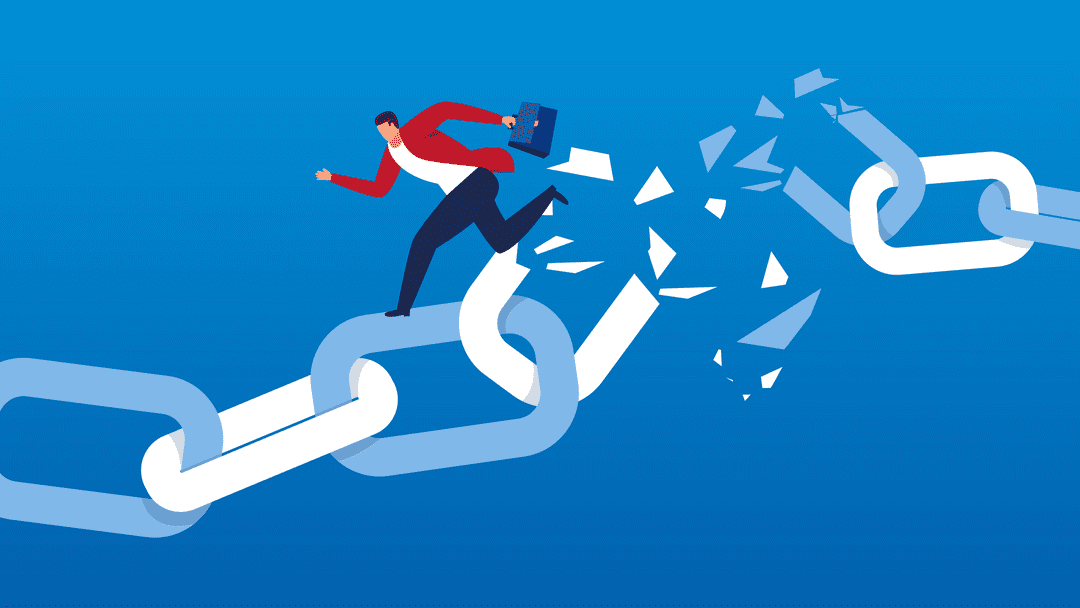
Broken links, also known as dead links, are hyperlinks on your website that lead to non-existent or unreachable pages. They can occur for a variety of reasons, such as deleted content, URL changes without proper redirects, or simple typos in the link. While a single broken link may seem harmless, a large number can significantly impact your website’s SEO, reduce user trust, and damage your site’s overall authority.
Search engines may struggle to crawl your pages effectively, and visitors encountering dead ends are more likely to leave your site, increasing bounce rates. In this comprehensive guide, we’ll show you how to check for broken links, identify the most critical ones, and remove or fix them efficiently using trusted tools like Semrush, Moz, and WordPress plugins, drawing on proven strategies and expert insights to maintain your site’s credibility and authority.
What Are Broken Links?
Broken links, often referred to as dead links, are hyperlinks that no longer lead to their intended destination. They can exist internally—linking to pages within your own website—or externally, pointing to content on other websites. Both types can negatively affect your website’s SEO and user experience if left unchecked.Common Causes of Broken Links
- Deleted Pages – When a page is removed from your site or an external site, any links pointing to it become broken.
- URL Changes Without Redirects – Changing a page’s URL without setting up a proper 301 redirect leads to dead links.
- Typos in Links – Even a small error in a URL can prevent the page from loading, creating a broken link.
Impact on SEO and User Experience
- Decreased Rankings – Search engines may reduce your site’s authority if they encounter numerous broken links, as they signal poor site maintenance.
- Negative Effect on Crawl Efficiency – Crawlers waste resources on dead links, potentially leaving other pages unindexed.
- Poor User Engagement – Visitors encountering broken links can become frustrated, increasing bounce rates and reducing trust in your brand.
Why Broken Links Matter for SEO
Broken links are more than just an inconvenience—they can have serious implications for both your website’s search engine rankings and user experience. Understanding their impact is key to maintaining a healthy, authoritative site.How Broken Links Affect Search Engines
- Crawlers Encounter Dead Ends → Indexing Issues Search engine crawlers rely on functional links to discover and index your site’s pages. When they encounter broken links, they can’t follow the path to other important pages, potentially leaving valuable content unindexed.
- Link Equity Loss Links help distribute authority across your website. When a link is broken, the “link juice” or equity intended for that page is lost, weakening your site’s SEO potential.
How Broken Links Affect Users
- Frustration & Trust Issues Visitors expect a seamless browsing experience. Encountering broken links can frustrate users and erode trust, making your website seem unprofessional or poorly maintained.
- Increased Bounce Rate When users hit dead ends, they are more likely to leave your site immediately. Higher bounce rates can signal low-quality content to search engines, indirectly affecting rankings.
How to Find Broken Links on Your Website
Identifying broken links is the first step to maintaining a healthy website and protecting your SEO. Using a combination of manual checks and trusted SEO tools ensures you catch both internal and external dead links efficiently.Using Free Tools
- Google Search Console – Navigate to the “Coverage” or “Crawl Errors” section to find pages that return errors. This helps you identify broken internal links and monitor your site’s health regularly.
- Online Broken Link Checkers – Free tools like BrokenLinkCheck.com or Dr. Link Check allow you to scan your site for dead links quickly, offering a simple way to detect problems without installing software.
Using Paid SEO Tools
- Moz – Moz’s Site Crawl feature provides detailed reports of broken links, both internal and external. You can filter by type of error and priority, making it easier to address the most critical issues first.
- Semrush – Semrush’s Site Audit tool detects broken links and provides actionable insights. You can see which pages are affected, how many links are broken, and export reports for team tracking.
How to Check Broken Links Efficiently
Finding broken links is one thing—but checking them efficiently and prioritizing fixes is what ensures your website remains healthy and SEO-friendly. Here’s a step-by-step approach to streamline the process using proven tools and expert strategies.Step 1: Use the Right Tools
Combine multiple tools for the most comprehensive results:- Semrush Site Audit – Provides a full list of broken links with page URLs, link types, and severity.
- Moz Site Crawl – Detects both internal and external dead links and highlights critical issues.
- WordPress Plugins – Plugins like Broken Link Checker automatically monitor your site for errors and alert you when a link breaks.
Step 2: Export Reports
Once your tools have scanned your site, export the data into a spreadsheet. Include columns for:- Broken link URL
- Source page
- Link type (internal/external)
- Priority or impact (high-traffic pages first)
Step 3: Prioritize Links by Importance
Not all broken links have the same SEO impact:- Internal links on high-traffic pages → Fix immediately to protect user experience and link equity.
- External links on important resources → Update or replace to maintain credibility.
- Low-priority links → Schedule for batch updates during regular site audits.
Step 4: Apply Expert Tips for Strategy and Frequency
- Conduct monthly or quarterly audits depending on site size.
- Focus on high-value pages first.
- Use automation for routine checks but supplement with manual inspections for key pages.
Step 5: Learn from Real Examples
For instance, one e-commerce site discovered over 200 broken internal links on high-traffic product pages using Semrush. After prioritizing and fixing these links, their organic traffic increased by 12% within two months, while bounce rates on those pages dropped significantly. This demonstrates how efficient broken link management can directly boost SEO and improve user experience. Finding technical errors is effortless when you utilize the best SEO tools currently available in the industry.How to Fix or Remove Broken Links
After identifying broken links on your site, the next crucial step is to fix or remove them. Properly handling broken links not only improves SEO but also enhances user experience and reinforces your website’s authority.Internal Links
- Correct URLs – If a link points to a page that still exists but has a typo in the URL, simply update it to the correct address.
- Redirect to Relevant Pages – If the original page was removed, set up a 301 redirect to the most relevant alternative page on your site. This preserves link equity and guides users seamlessly.
External Links
- Replace with Authoritative Sources – If a linked external page no longer exists, find a credible, relevant replacement to maintain trust and value for your users.
- Remove if Irrelevant – If no suitable replacement exists, removing the link entirely is better than leaving a broken one that frustrates visitors.
WordPress Broken Links Fix
- Use Plugins – Plugins like Broken Link Checker can automatically scan your WordPress site and alert you when a link breaks.
- Step-by-Step Plugin Setup:
- Install and activate the plugin from your WordPress dashboard.
- Configure scanning frequency and notification settings.
- Review detected broken links in the plugin dashboard and take action by editing, unlinking, or redirecting.
Redirect Strategies
- 301 Redirects vs. 302 Redirects:
- 301 Redirect – Permanent redirect; passes most link equity to the new page. Use this for deleted or permanently moved pages.
- 302 Redirect – Temporary redirect; does not pass full link equity. Use this only if the original page will return.
- When to Use Each – Always prefer 301 redirects for SEO purposes unless you have a short-term or temporary page change.
Best Practices for Preventing Broken Links
- Regular site audits
- Automated monitoring tools
- Maintaining a linking strategy
- Using canonical URLs properly
- Documenting site changes
Conclusion
Broken links may seem minor, but they have a significant impact on SEO, user experience, and site authority. By regularly auditing your website, using trusted tools like Semrush, Moz, and WordPress plugins, and applying best practices for fixing or removing broken links, you can maintain a healthy, authoritative website. Proactively managing broken links demonstrates your expertise, experience, and trustworthiness, reinforcing your E-E-A-T profile while boosting your search engine rankings and providing a seamless experience for your visitors.Frequently Asked Questions (FAQs)
- What is a broken link in SEO? A broken link is a hyperlink that leads to a page that no longer exists or cannot be accessed. Broken links negatively affect SEO, user experience, and site authority if not addressed promptly.
- How often should I check for broken links? It’s recommended to perform a full broken link audit at least quarterly, or monthly for larger sites with frequent updates. Regular monitoring ensures your site remains trustworthy and SEO-friendly.
- Can broken links hurt my Google rankings? Yes. Broken links can reduce crawl efficiency, cause link equity loss, and negatively affect user experience—all factors that can indirectly lower your search rankings.
- How do I fix broken links in WordPress? You can use plugins like Broken Link Checker to identify broken links, then fix them by updating URLs, removing dead links, or setting up proper redirects. Manual fixes via the WordPress editor are also possible.
- Are external broken links as important as internal links? Yes. External broken links can harm your credibility and trustworthiness, while internal broken links affect navigation, SEO, and user experience. Both should be addressed promptly.

Recent Posts
abdelrahman.qazaer@gmail.com/0 Comments
Long-Form Video Content: The Ultimate Guide for Marketers

abdelrahman.qazaer@gmail.com/0 Comments
Visual Design in Ads
abdelrahman.qazaer@gmail.com/0 Comments