In the world of SEO, seemingly small technical elements can have a big impact. One such element is pagination. For many websites — whether blogs, eCommerce stores, news sites, or forums — content is split across multiple pages. While this is great for user experience, if handled incorrectly, it can create serious SEO issues.
Pagination SEO is the practice of optimising paginated content so that search engines can effectively crawl, index, and understand it. Understanding what is pagination in SEO and how to implement it properly can prevent duplicate content problems, improve link equity distribution, and ensure a smoother user experience.
In this article, we will explore pagination in SEO, including pagination and SEO best practices, common mistakes, and actionable steps for optimising your paginated pages.

What is Pagination in SEO?
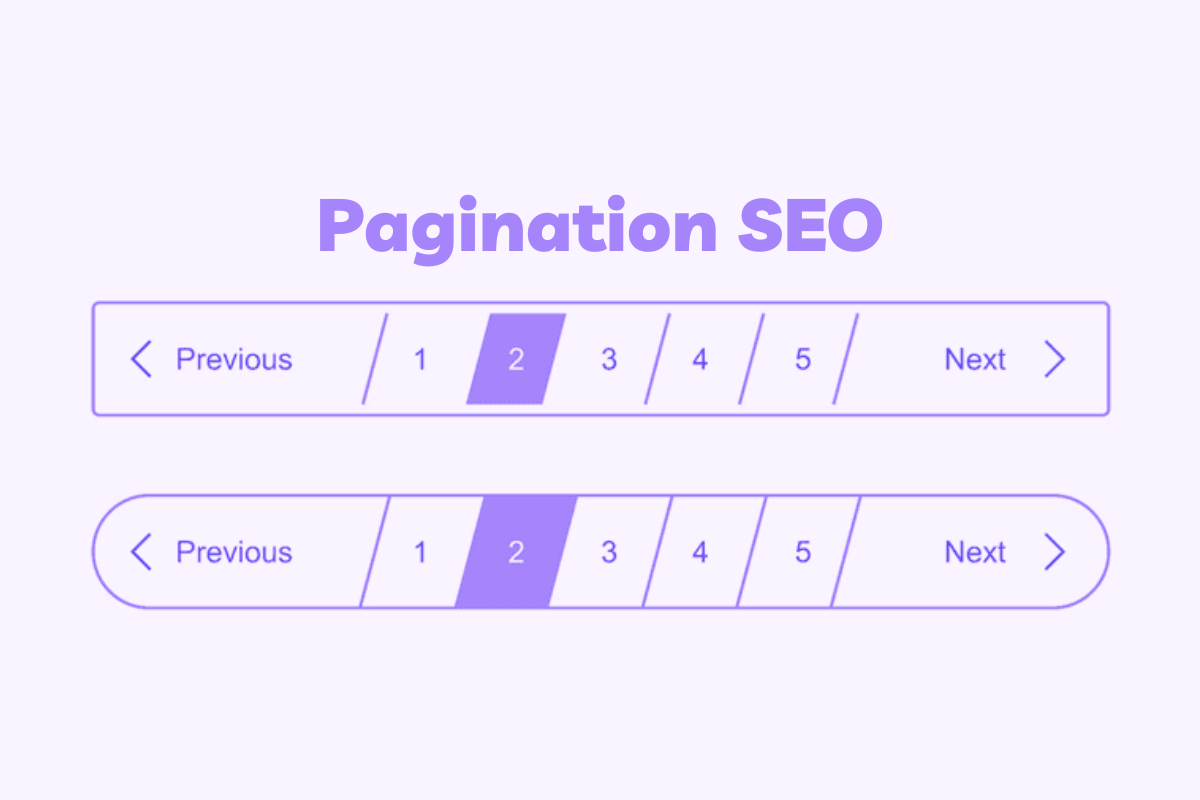
Pagination in SEO is the method by which a website divides its content across multiple pages and how search engines understand these pages. It is commonly used on blogs, eCommerce sites, news websites, and forums when the content is too long to display on a single page. From an SEO perspective, paginated content helps search engines understand the page sequence, such as page 1, page 2, page 3, and which pages should be prioritised for indexing to avoid duplicate or thin content issues. Pagination SEO also affects the distribution of internal links across a website, ensuring that all pages receive proper link equity. If paginated pages are not handled correctly, it can lead to problems like duplicate content, crawling difficulties, and lower search rankings. Therefore, it is essential to use techniques like canonical tags, rel="next/prev" links, and ensure that deeper pages are accessible and indexable for both users and search engines.Why Pagination Matters for SEO
Pagination and SEO go hand in hand because paginated content affects how search engines crawl and index your site. Let’s explore why it matters:1. Crawlability
Search engines like Google crawl pages sequentially. Poorly structured pagination can create crawling bottlenecks, preventing deeper pages from being discovered. This is especially critical for large eCommerce stores or content-heavy websites.2. User Experience
Proper pagination improves UX by allowing users to find content quickly without excessive scrolling. A positive UX indirectly impacts SEO by increasing engagement metrics like time on site and reducing bounce rates.3. Duplicate Content Risks
Pagination can inadvertently create duplicate or thin content if search engines index multiple pages with very similar information. For example, page 2 of a blog archive often has similar meta titles and descriptions as page 1, which may dilute SEO performance.4. Internal Linking & Link Equity
Paginated pages can affect internal link distribution. If not handled correctly, link equity may not flow to deeper pages, limiting their visibility in search results.
Common Pagination SEO Mistakes
Even experienced webmasters often struggle with pagination Raph SEO optimising page sequences without harming SEO. Some common mistakes include:1. Ignoring Rel=“next/prev”
Previously, Google recommended using rel="next" and rel="prev" to indicate sequences. Although Google now says these tags are optional, they still help other search engines and maintain semantic clarity.2. Canonical Tags Mismanagement
A common error is applying the canonical tag incorrectly. For example, canonicalising all paginated pages to page 1 can prevent deeper pages from ranking.3. Over-Indexing
Indexing all paginated pages without considering content value can lead to thin content issues, duplicate meta titles/descriptions, and reduced SEO performance.4. Infinite Scroll Without SEO Implementation
Many modern websites implement infinite scroll, but if not SEO-friendly, search engines may fail to index all content. Proper lazy-loading combined with crawlable URLs is critical.Pagination SEO Best Practices
Optimising pagination in SEO involves implementing strategies that improve both search engine understanding and user experience.1. Canonicalisation
Use canonical tags wisely to indicate the preferred version of your paginated content. For example, canonicalise each page to itself, not to page 1, to avoid suppressing indexation of deeper pages.2. Rel=“next/prev”
Even though Google may ignore these for ranking, they still provide clarity on page sequences. Implement rel="next" on page 1 pointing to page 2, rel="prev" on page 2 pointing back to page 1, and so on.3. Noindex or Index?
Decide which pages should be indexed based on value. For content-rich pages, indexing is recommended. For thin pages, consider adding noindex, follow to prevent duplicate content issues while retaining link equity.4. SEO-Friendly Infinite Scroll
If your site uses infinite scroll, ensure that paginated content is accessible via unique URLs. Google supports crawlable infinite scroll when combined with pushState or similar technologies.5. Internal Linking Strategy
Link back to category pages from deeper paginated pages to maintain link equity distribution. Include breadcrumbs or navigation links to help both users and search engines.Pagination SEO for Different Site Types
1. eCommerce Websites
Paginated product listing pages are common on online stores. To optimise pagination SEO for eCommerce sites:- Index important pages: Ensure that pages with unique products are indexable so they can appear in search results.
- Avoid canonicalising all pages to page 1: Each paginated page should have a self-referencing canonical tag unless content is nearly identical.
- Use structured data: Apply product schema on product pages to improve visibility in rich search results.
- Clear navigation: Include “Next” and “Previous” buttons or page numbers for better user experience.
- Internal linking: Link back to main category pages to distribute link equity and improve crawlability.
- SEO-friendly URLs: Use descriptive, static URLs for paginated pages (e.g., /category/page/2/).
2. Blogs and News Sites
Blogs, magazines, and news websites often split content across archive pages. Key considerations:- Unique meta titles and descriptions: Avoid duplicate meta data across paginated pages to prevent thin content issues.
- Clear pagination links: Use numbered pages or “Next/Previous” links for easier navigation.
- Decide indexing strategy: Index pages with high-value content and consider noindex, follow for low-value or repetitive pages.
- Rel="next/prev" tags: Helps search engines understand page sequences.
- Content summaries: Provide brief snippets or summaries on archive pages to add unique value.
- Breadcrumb navigation: Helps users and search engines understand site hierarchy.
3. Forums and Community Sites
Forums often have long threads split across multiple pages. Best practices include:- Rel="next/prev" implementation: Indicates the sequence of threaded pages to search engines.
- Indexing strategy: Index valuable discussion pages while adding noindex to low-value or very short pages.
- Follow links: Even on noindexed pages, keep internal links active to pass link equity.
- Pagination-friendly URLs: Ensure each page has a unique, crawlable URL (avoid AJAX-only URLs).
- Clear navigation: Display page numbers and navigation buttons for user ease.
- Avoid duplicate content: Make each page of a thread slightly unique, e.g., by showing different posts or highlighting popular contributions.
4. Key Takeaways Across All Site Types
- Every paginated page should ideally add unique value.
- Use self-referencing canonical tags unless content is nearly identical.
- Make paginated pages crawlable and easily accessible for both users and search engines.
- Consider using rel="next/prev" to indicate page sequences.
- Maintain internal linking to distribute link equity and improve SEO performance.
Tools & Resources to Audit Pagination
Auditing your website’s paginated content is a crucial step to ensure that pagination SEO is implemented correctly. Proper auditing helps identify issues such as duplicate content, poor crawlability, and improper canonicalisation. Here are the most effective tools and resources you can use:1. Google Search Console
Google Search Console is one of the most essential tools for auditing your paginated content. It allows you to monitor how Google crawls and indexes your pages, including paginated sequences. Through the Coverage Report, you can see which pages are indexed, which have errors, and which are excluded. The URL Inspection Tool helps check canonical tags, mobile-friendliness, and whether a specific paginated page is crawlable. Additionally, reviewing the Crawl Stats provides insight into how often Googlebot visits your paginated pages. Using Google Search Console ensures that your pagination SEO aligns directly with Google’s indexing and ranking processes, making it a reliable, authoritative resource for optimisation.2. Screaming Frog SEO Spider
Screaming Frog SEO Spider is a powerful tool for technical SEO audits, particularly for websites with extensive paginated content. It can crawl your entire site and provide detailed information on canonical tags, meta titles, meta descriptions, and the implementation of rel="next/prev" tags for each paginated page. It also identifies duplicate content, thin pages, or pages with missing SEO elements. By generating these detailed reports, Screaming Frog helps you spot potential issues that could negatively impact pagination SEO, giving you the ability to correct them before they affect search rankings.3. Ahrefs & SEMrush
Ahrefs and SEMrush are comprehensive SEO platforms that provide advanced auditing features for paginated content. They allow you to run a full site audit to see which paginated pages are indexed, blocked, or performing poorly. These tools also analyse internal linking structures, helping you ensure that link equity flows correctly to deeper pages in a pagination sequence. Additionally, they highlight duplicate meta titles, thin content, or low-value pages, which are common issues in poorly handled pagination. Using Ahrefs or SEMrush ensures your SEO pagination strategy is scalable and that all technical and content-related issues are addressed.4. Google Search Central Documentation
Google Search Central is the official source for guidelines on how Google handles paginated content. This resource explains best practices for canonical tags, rel="next/prev" implementation, and SEO-friendly infinite scroll. By referencing Google Search Central, you can stay updated on algorithm changes and follow authoritative advice directly from the search engine itself. This ensures that your pagination and SEO practices are compliant with Google’s expectations, reducing the risk of indexing errors and optimising your site’s crawlability.5. Browser Extensions & Other Tools
Browser extensions such as MozBar, SEO Minion, and the built-in Chrome DevTools provide quick insights into your paginated pages without requiring a full audit. These tools allow you to check canonical tags, meta descriptions, internal linking, and other on-page SEO elements instantly. While not as detailed as full audit platforms, these tools are useful for small-scale checks, ongoing monitoring, or spot-checking specific paginated pages. They help ensure your pagination SEO is consistently applied across your site and that basic technical errors are caught early.FAQs
Q1: Should I index all paginated pages?
It depends on the value of the content. Index high-value pages to attract search traffic. Use noindex on thin pages to avoid duplicate content issues while retaining link equity with follow.Q2: Does rel=next/prev still matter?
Google may ignore it for ranking, but it is still beneficial for semantic clarity and other search engines. It is considered a good practice for pagination SEO.Q3: How should I handle infinite scroll?
Ensure that each segment of content has a unique URL accessible to crawlers. Use pushState or other SEO-friendly techniques to make infinite scroll crawlable.Q4: Will pagination hurt my SEO?
Not if implemented correctly. Poorly handled pagination can create crawl issues, duplicate content, and thin content. Following pagination SEO best practices mitigates these risks. Keywords incorporated: pagination seo, seo pagination, pagination in seoConclusion
In conclusion, pagination SEO is a critical aspect of website optimisation that directly impacts crawlability, user experience, and search engine visibility. Whether you run an eCommerce store, a blog, or a forum, correctly implementing pagination strategies including canonical tags, rel="next/prev" links, and careful indexing ensures that your content performs at its best and reaches the right audience. Staying on top of best practices and regularly auditing your paginated content with the right tools is essential to prevent duplicate content, improve link equity, and maintain a seamless user experience. For businesses and website owners looking for expert guidance, Above-Quality provides professional SEO consulting and support, helping websites implement robust pagination strategies that enhance both rankings and user satisfaction. Optimising your paginated pages today can make a significant difference tomorrow with the right expertise, your site can achieve maximum visibility and deliver a superior experience for your visitors.